Frequently Asked Question
How do I register a new domain?
Last Updated 4 years ago
To register a new domain on your account, first log into your InstaHost control panel and go to the "Manage" section: https://my.instahost.co/manage where you will be able to order new services.
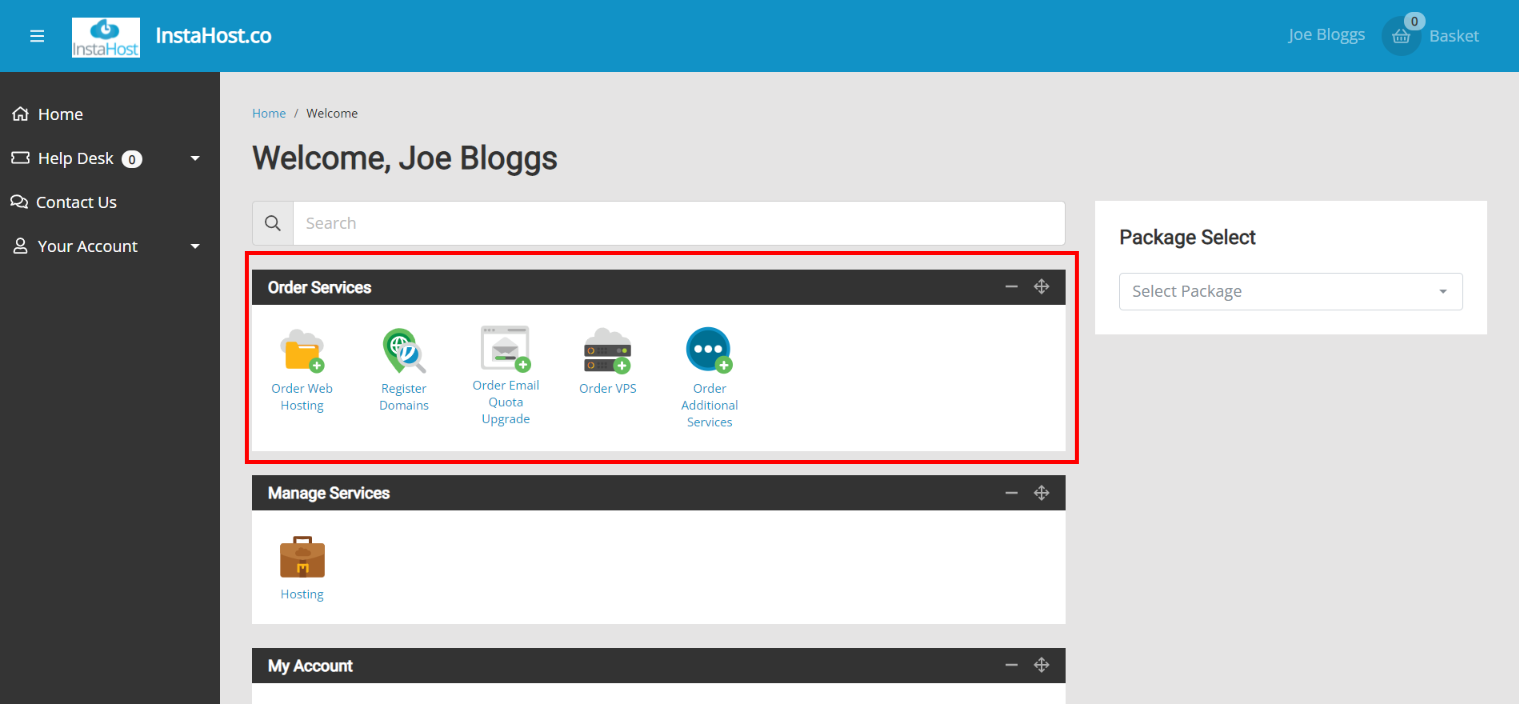
In this section, click on the "Register Domains" icon to go to the registrar area.
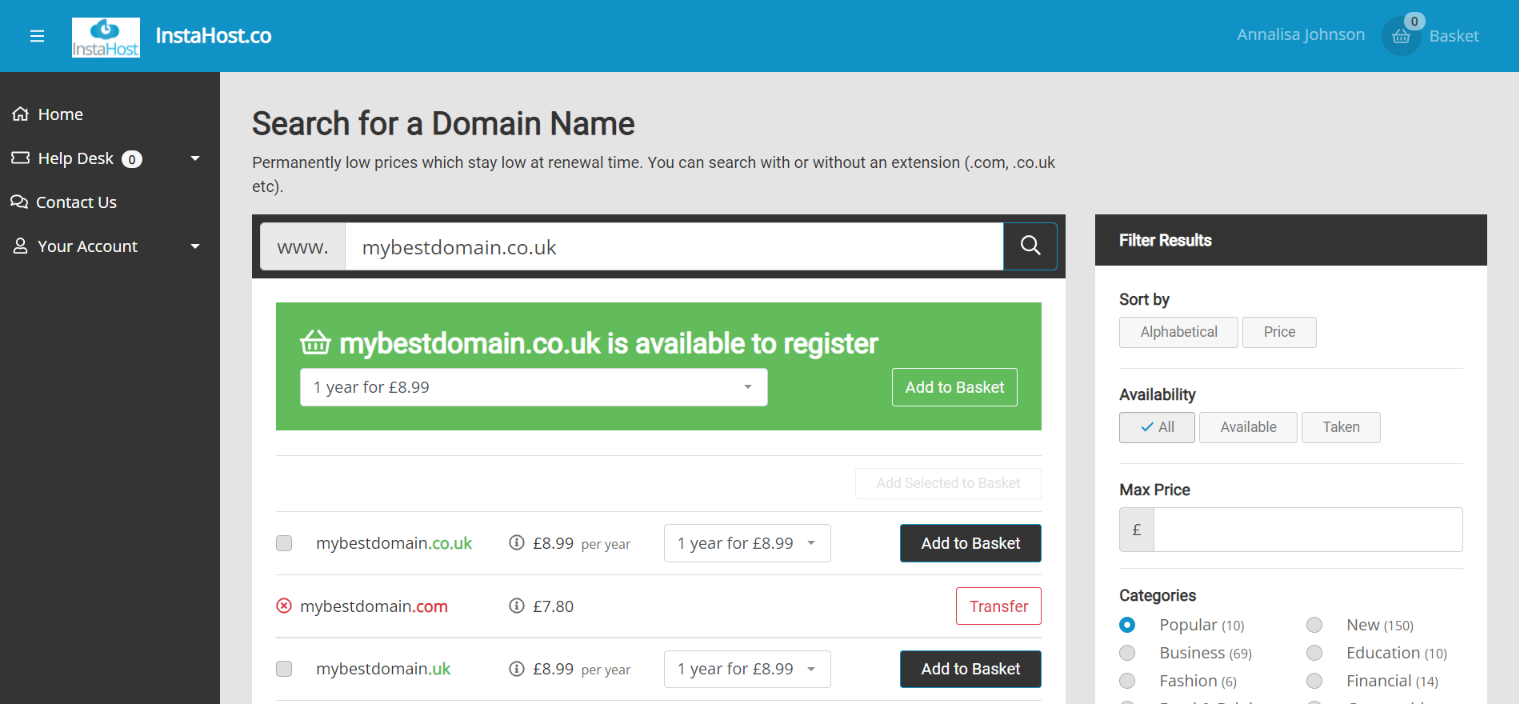
On the domain search page, you can look up the domain name you want, or variations if it's not available using the filters on the right hand side, and then add it to your basket. To complete the checkout and purchase it, simply click on the "Go to Checkout" button and follow the checkout process.

In this section, click on the "Register Domains" icon to go to the registrar area.
On the domain search page, you can look up the domain name you want, or variations if it's not available using the filters on the right hand side, and then add it to your basket. To complete the checkout and purchase it, simply click on the "Go to Checkout" button and follow the checkout process.